Care Protocol (Admin Guide)
The Care Protocol is how the family gives care while protecting the shared project. It reads capacity, not performance: whether a person or the whole system is
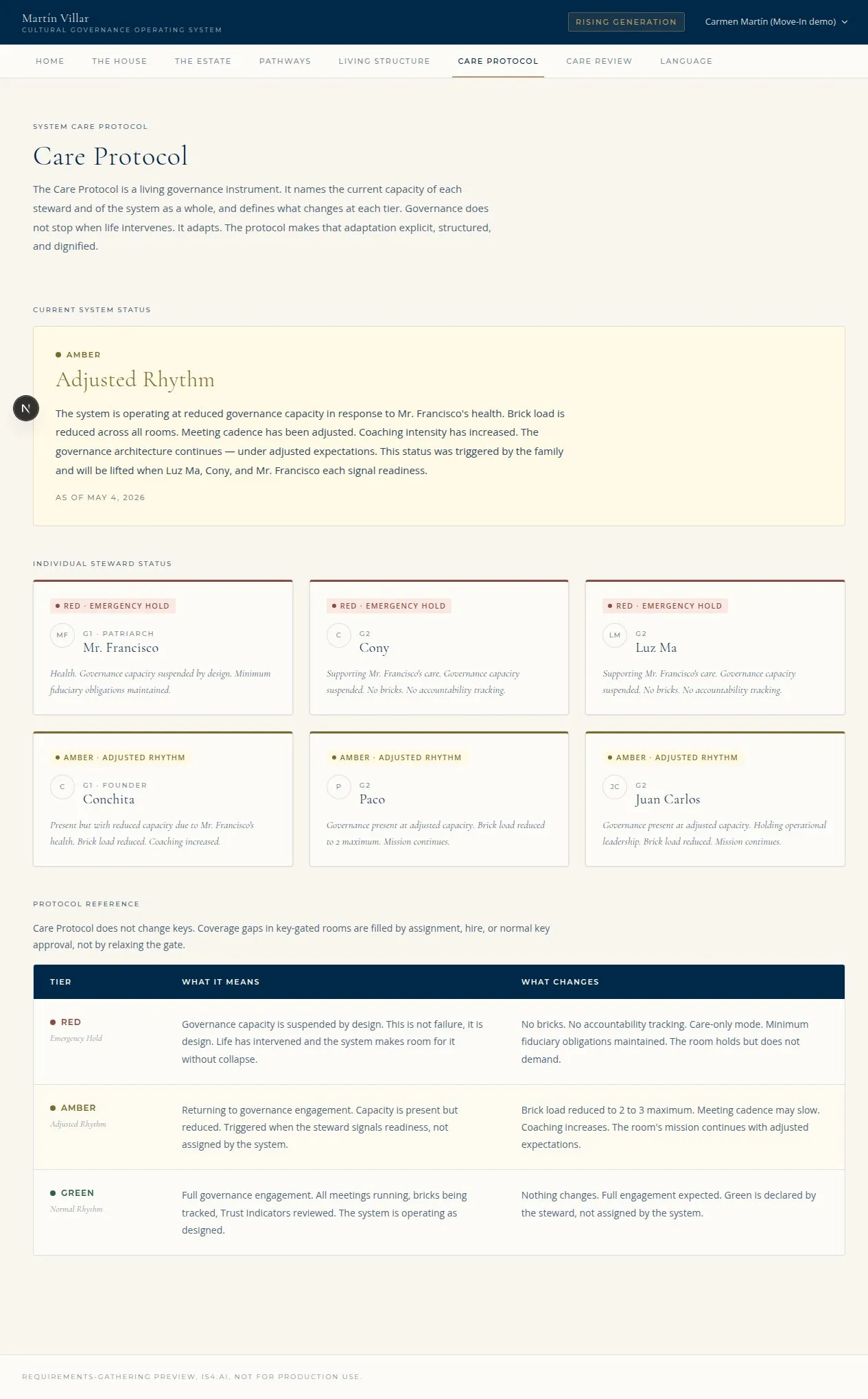
The Care Protocol page: current system state, the four protected priorities, and protocol reference (Illustrative, from the IS4 preview environment.)
operating in a normal, adjusted, or preservation rhythm. This guide is how a Perpetum admin declares Care states and runs Care Reviews.
Who can do this: - Declare or edit a Care state (system or person), including the private reason label: Perpetum L3 (super-admin included). - Triage Care Review requests: Perpetum L2 / L3. - Approval of a state happens off platform; the portal records the declared state.
1. The three states (no sub-tiers)
The capacity model is exactly three states at the person and system level. There are no Amber tiers.
| State | Name | Meaning |
|---|---|---|
| Green | Normal Rhythm | Fully operable in the current rhythm (may still include support) |
| Amber | Adjusted Rhythm | The ask is lowered: Bricks reduced/renegotiated/delayed, participation narrowed, support activated |
| Red | Emergency Hold | Preservation mode: only the minimum essential commitments stay alive, coverage assigned, focus on care and return |
At the room / indicator level the same capacity reads Active / Reduced / Paused (configured per room).
2. Declare or edit a Care state (L3)
Care states are declared, not imposed by the system. Green is declared by the steward; Amber/Red follow the steward's signal, supported off platform. Perpetum L3 records the state.
- Open the Care Protocol page (
/care-protocol). As L3 you see the edit controls on the Current System State region (and the per-person controls for individual states). - Set the state (Green / Amber / Red) for the system or for a person.
- Record the two reason fields:
- A family-safe summary that permitted roles may read.
- The L3-only private reason label: one or more of the Four Protected Priorities (marriage, family, health, physical security). This label is never shown to anyone but Perpetum L3; the data layer redacts it for every other viewer (including the Leading Generation, who read the System state without the private label).
For Amber, the spec calls for an adjusted operating agreement, support plan, coverage plan, next review date, and a return pathway. For Red, name what stays alive, what pauses, who covers what, what stays private, and the next review date.
3. The Four Protected Priorities
A static doctrine region on the Care Protocol page names what the system protects: Marriage, Family, Health, Physical Security. These are the categories the L3-only private reason label draws from. They define the life conditions Care Protocol exists to protect.
4. Run a Care Review (triage)
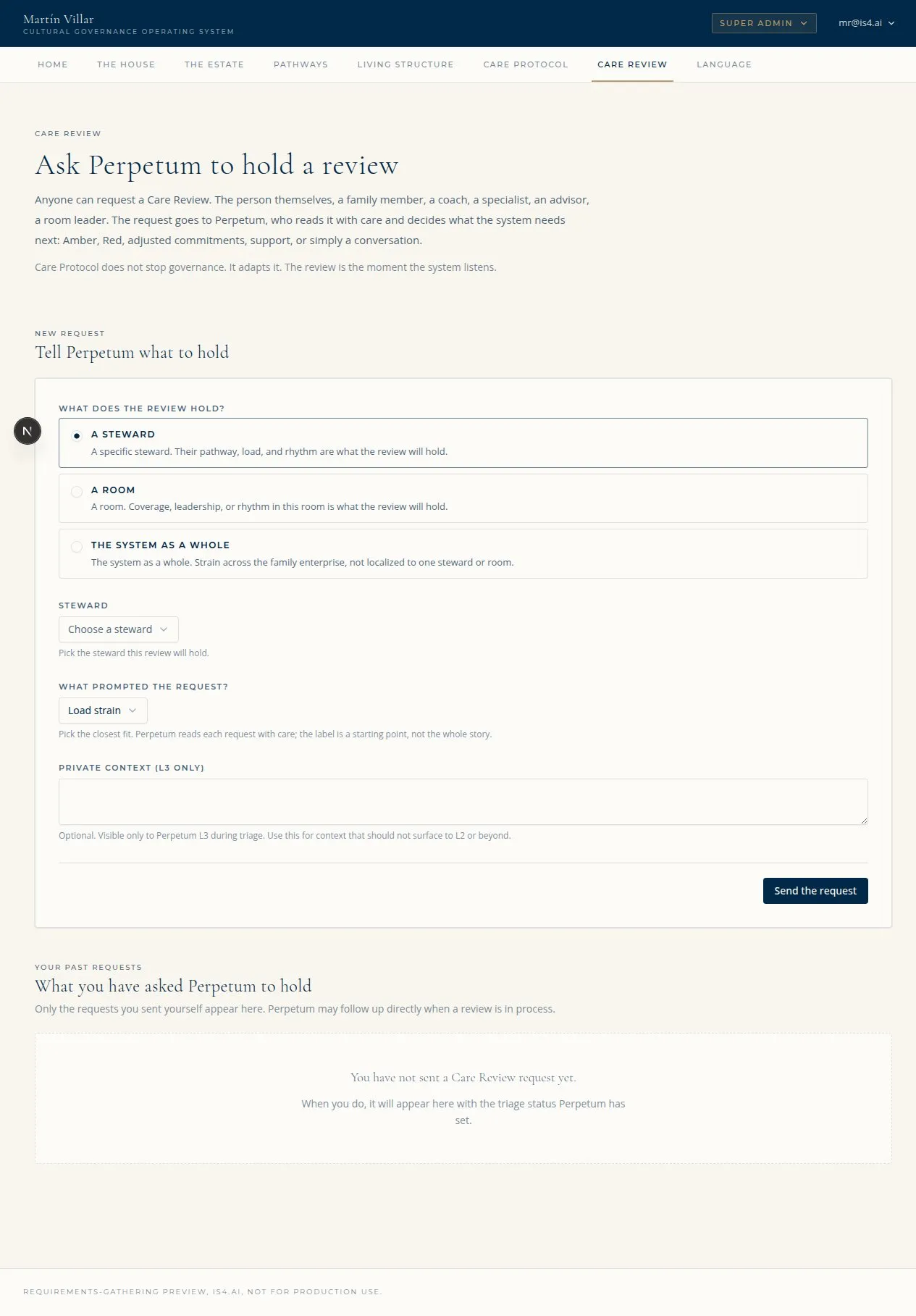
The Care Review form: trigger source, requested move, reason, and Final Status (Illustrative, from the IS4 preview environment.)
The Care Review is the triage flow through which a person enters, moves within, or leaves the Individual Care Protocol.
flowchart TD
  R["Therapist, coach, or the<br/>steward requests a move"] --> Q["Triage queue<br/>(/admin/care-review)"]
  Q --> L3["L3 records trigger source<br/>+ reason (safe summary + private label)"]
  L3 --> FS{Final Status}
  FS --> S1[In review]
  FS --> S2[Approved]
  FS --> S3[Deferred]
FS --> S4[Declined]- A therapist, coach, or the steward raises a request (off platform or through the in-portal request path). It lands in the triage queue.
- Open Care Review triage (
/admin/care-review). (L2 / L3.) - For each request, record:
- the trigger source (who raised it),
- the requested move (From state -> To state),
- the reason (family-safe summary plus the L3-only private label),
- the Final Status: In review, Approved, Deferred, or Declined.
Other roles never see the triage flow itself; they see only its result, the steward's declared Care state.
5. The absolute rule: Care Protocol never changes keys
Even at Amber or Red, a key-gated room stays key-gated. A Care state never bypasses a key check. If a Care state creates a coverage gap in a key-gated room, fill it by assigning or hiring someone who already holds the right keys, or run the normal key approval process. Do not expect Care state to open a room.
6. What the family sees
The Care Protocol page (/care-protocol) shows, for the roles that reach it:
- Current System State (the family-wide capacity pill + a family-safe description).
- My Individual Care Protocol and Care Pathway (the person's own reading; the Care Pathway region renders only on Amber or Red; at Green it shows the reading alone).
- Everyone's Care Protocol at a glance (state word + color only, never the full pathway).
- The Four Protected Priorities (doctrine).
- Protocol Reference (what each state means).
Next Generation and In-Laws never reach this page. Internal Advisor is also excluded from the per-person glance per the matrix.
7. Quick troubleshooting
| Symptom | Likely cause | Fix |
|---|---|---|
| Cannot edit a Care state | Declaring states is L3-only | Use an L3 / super-admin account |
| Cannot see the private reason label | It is L3-only by design | Only L3 sees the four-priority private label; it is redacted for everyone else |
| Looking for Amber sub-tiers | There are none | The model is exactly Green / Amber / Red, no tiers |
| A room did not open at Amber/Red | Care never changes keys (by design) | Fill coverage with someone who holds the key, or run key approval |
| Care Pathway region missing at Green | By design | The Care Pathway shows only on Amber or Red |
| NG / IL cannot open the Care Protocol page | By design | Those roles never reach this page |