Bricks and Trust Indicators (Admin Guide)
This guide covers the accountability layer: Bricks (quarterly commitments) and Trust Indicators / Trust Pulse (the KPIs and their readings). Both are operated by Perpetum admins; family and internal roles mostly read them.
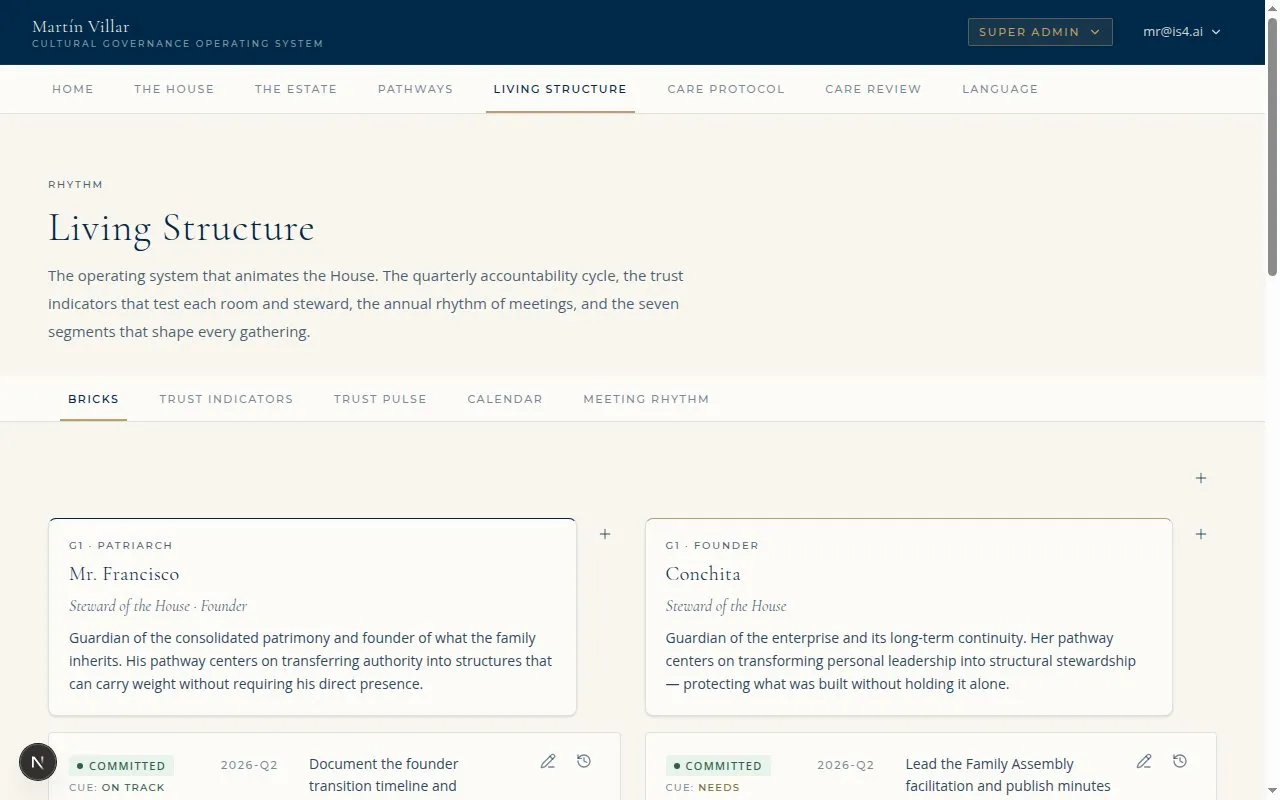
The Bricks admin: quarterly commitments with their workflow status (Illustrative, from the IS4 preview environment.)
Who can do this: - Bricks (create, edit, move status, record outcome, roll over): L2 / L3. - Strikes: L3 only. - Trust Pulse: L2 / L3 draft; publish / withdraw is L3-only and currently Phase-4-gated (drafts only in Phase 3).
Part 1: Bricks
A Brick is a single quarterly commitment. It carries two distinct fields, never merged:
- Workflow Status (while the quarter is open): Being Negotiated, On Track, At Risk, Paused, Completed.
- Outcome (recorded at quarter close): Completed, Not Completed, Paused.
On Track / At Risk are workflow states only; they are never recorded as an Outcome.
flowchart LR
  Req["Requested by a<br/>room leader or owner"] --> BN[Being Negotiated]
  BN -->|admin confirms| OT[On Track]
  OT <--> AR[At Risk]
  OT --> PA[Paused]
  OT --> CO[Completed]
  CO --> CLOSE{{Quarter close:<br/>record Outcome}}
  AR --> CLOSE
  PA --> CLOSE
  CLOSE --> O1[Completed]
  CLOSE --> O2[Not Completed]
  CLOSE --> O3[Paused]
1. The request queue
A Brick starts as a request from a room leader or owner.
- Open Brick queue (
/admin/bricks/queue). - Review each requested Brick (the proposed title, room, owner).
- Accept a request to bring it into the system as a Brick in the Being Negotiated state (the original request row is kept for history). Or reject it.
A Brick is only ever created in the system by L2 or L3. A request is not a write; acceptance is what creates the Brick.
2. Create, edit, and move a Brick
On the Bricks surface (/admin/bricks):
- Create a Brick: name it, set its room, due date, Room Leader, and Support.
- Edit its details.
- Move its Workflow Status through the quarter: Being Negotiated, then On Track once negotiation confirms it, At Risk if it slips, Paused if held, Completed when finished.
3. Close the quarter
At quarter end, open Close quarter (/admin/bricks/close-quarter):
- The surface lists the quarter's unfinished Bricks.
- For each, record the Outcome: Completed, Not Completed, or Paused.
- Optionally roll over an approved unfinished Brick into the next quarter.
Outcomes are reversible. An admin can revise a recorded Outcome at any time, including correcting one set in error.
4. Strikes (L3 only)
When an unfinished Brick is not approved for rollover, Perpetum L3 may issue a strike.
- Open Strikes (
/admin/strikes). (L3 only.) - Use Issue strike to record one; use Clear to remove one.
5. How Bricks appear to the family
- My Bricks on a person's Dashboard: their own Bricks with the current Workflow Status pill.
- Bricks for this room on the Room Page: every Brick from that room, with status and review date.
- LG / RG see their own and others' Bricks (transparency). IA / IE see Bricks only when the module is toggled on for them.
Part 2: Trust Indicators and Trust Pulse
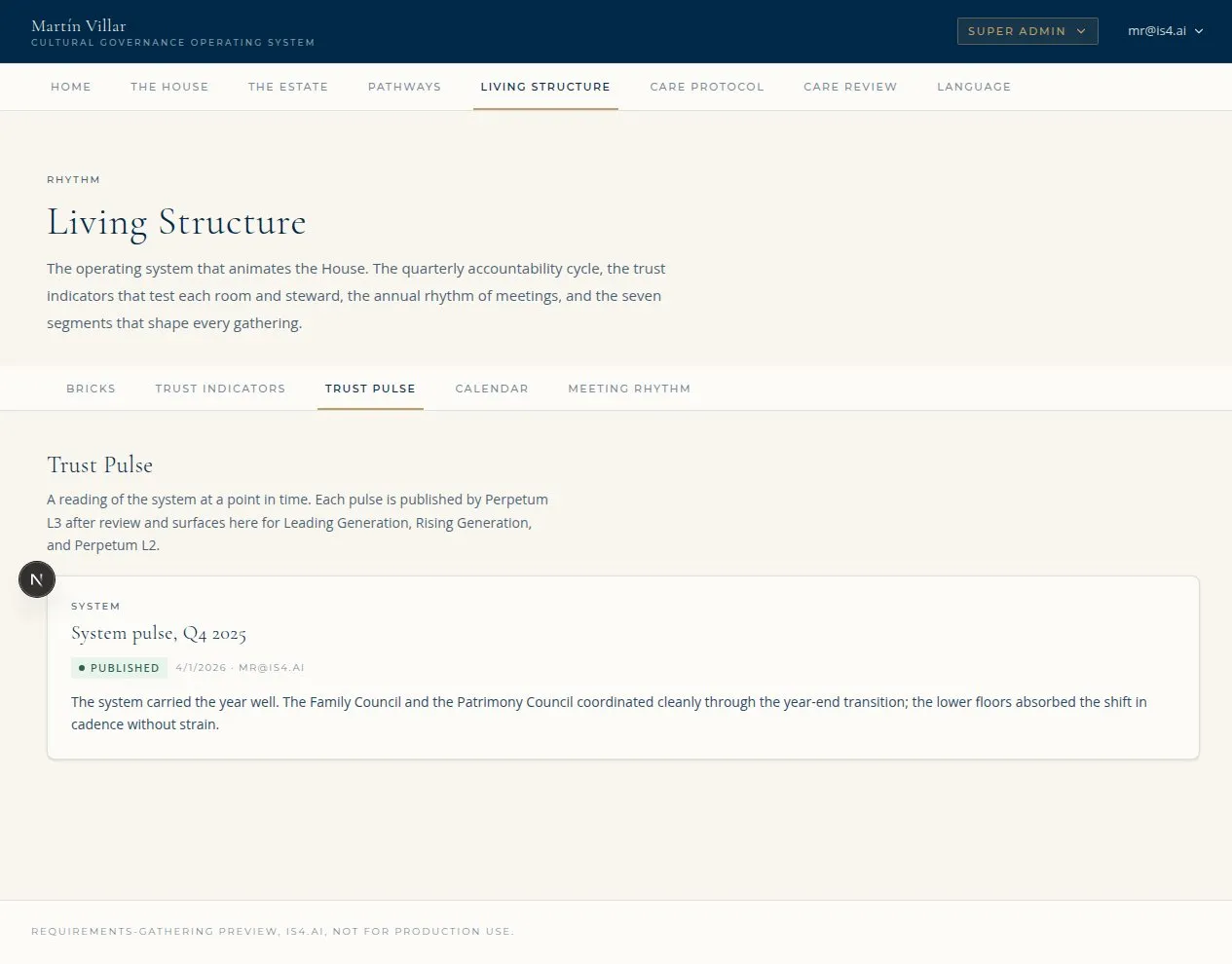
Trust Pulse authoring (/admin/trust-pulse): the four-state readings, drafted by L2/L3 (Illustrative, from the IS4 preview environment.)
- A Trust Indicator is a KPI (the named thing tracked: attendance, action-item closure, backup-leader designated, and so on).
- A Trust Pulse is the reading on it, in one of four fixed states: Healthy, Needs Attention, Needs Intervention, Paused.
6. Author Trust Indicators
Open Trust Indicators (/admin/trust-indicators) to author the room-level and
person-level indicators. These are the named KPIs that then carry readings.
7. Author and publish Trust Pulse readings
Open Trust Pulse (/admin/trust-pulse):
- L2 or L3 drafts a reading by hand for a room or person indicator (Healthy / Needs Attention / Needs Intervention / Paused). In the current phase, readings are admin-curated by hand; nothing is computed automatically.
- Submit for L3 review moves a draft to "Awaiting L3 review."
- L3 publishes the reading (publish and withdraw are L3-only).
Phase note: automated Trust Pulse computation and formal publication unlock in Phase 4. Publish / withdraw are L3-only and Phase-4-gated, so today L2/L3 author drafts and submit for review; readings are not auto-computed or auto-published.
8. How Trust Pulse appears to the family
- Room Page (full card): the room Trust Pulse pill, and each Trust Indicator row with its Trust Pulse pill.
- Public Room Card: indicator names only, no Trust Pulse pill (the public card shows the System Care Protocol pill only).
- Individual Dashboard mini-cards: the person's individual Trust Pulse readings.
- Next Generation and In-Laws see Trust Indicator names only, never the pills.
9. Quick troubleshooting
| Symptom | Likely cause | Fix |
|---|---|---|
| Cannot create a Brick | Not L2/L3 | Brick creation is L2/L3 |
| A requested Brick is not live | Request accepted but still Being Negotiated | Move it to On Track once negotiation confirms it |
| Cannot issue a strike | Strikes are L3-only | Use an L3 account on the Strikes surface |
| Cannot publish a Trust Pulse reading | Publish is L3-only and Phase-4-gated | L2/L3 draft and submit for review; L3 publishes (Phase 4) |
| Trust Pulse not auto-updating | By design in this phase | Readings are admin-curated by hand until Phase 4 |
| NG / IL cannot see Trust Pulse pills | By design | They see indicator names only, never the pills |
| Brick status looks inconsistent across views | Known enum cleanup (issue #28) | Canonical statuses are Being Negotiated / On Track / At Risk / Paused / Completed |